Case study
Murre
Or how I got tired of naming files final_v2_final.aep
Desktop app · Product design · Development
A free, local-first app for Mac and Windows that keeps an After Effects project's versions, footage, fonts and notes together, and reads .aep files directly, without After Effects open.
- Role
- Product design, development, motion design
- Type
- Personal project, free and open source (GPL)
- Built with
- Tauri, Rust, React, and an After Effects panel
- Runs on
- Mac (Apple Silicon) and Windows
- Status
- Early release, v0.3.1, actively building
Create a folder.
Create another folder.
Maybe another folder inside that folder.
Throw some assets somewhere.
Open After Effects.
Start animating.
A few days later, the project looks like this:
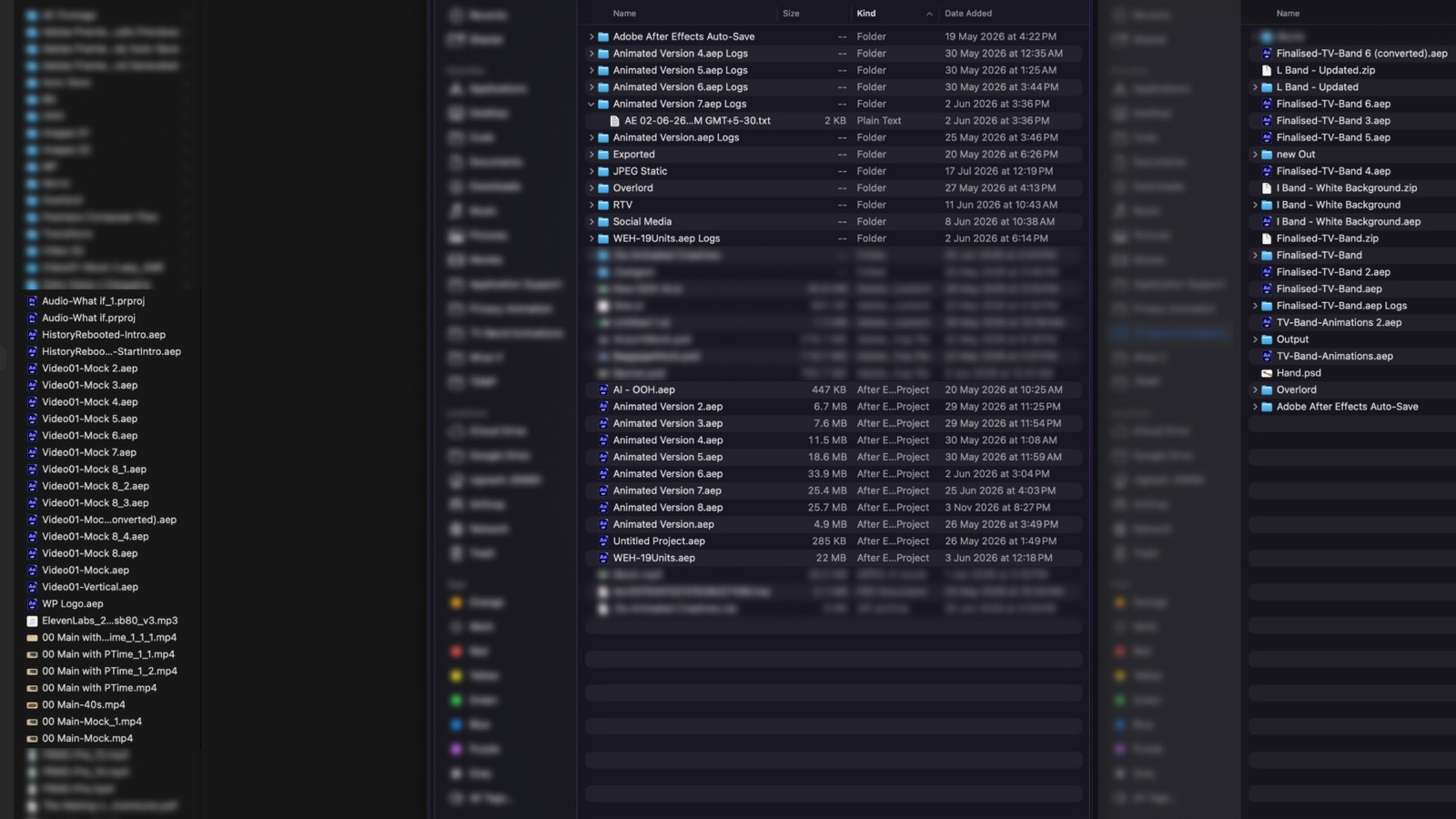
At some point, I have six After Effects files, footage scattered across different folders, renders named final, and absolutely no idea which version I last worked on.
It's fine when everything is fresh in my head.
But open the same project three months later for a tiny revision?
Good luck.
Initially, I thought I just needed to organize my files better.
Then I looked at my other projects.
Same problem.
Different folder names.
Software engineers have Git.
Designers have Figma's version history.
Writers have document history.
Motion designers have:
final.aep
final_v2.aep
final_v3.aep
final_v3_final.aep
final_v3_final_revised.aep
And somewhere in there is the actual final version.
The bigger issue is everything surrounding those files.
Which version am I supposed to open?
What changed since the previous one?
Which render was approved?
What font did I use for that title?
Where did I save that reference?
And why is this footage still in Downloads?
These aren't animation problems.
They're all the little things around animation that we somehow end up managing manually.
So I started wondering:
What if a motion project could remember its own context?
That question eventually became Murre.
I didn't want to build another Notion or Trello.
And I definitely didn't want something that made me update ten fields before I could start animating.
After Effects is where I make things.
Murre just needed to take care of everything around it.
The idea was to give every project a home for its workfiles, versions, assets, renders, notes, to-dos, and references.
More importantly, I wanted the app to understand the actual After Effects project.
Not just display its files.
Murre manages the workflow. After Effects handles the animation.
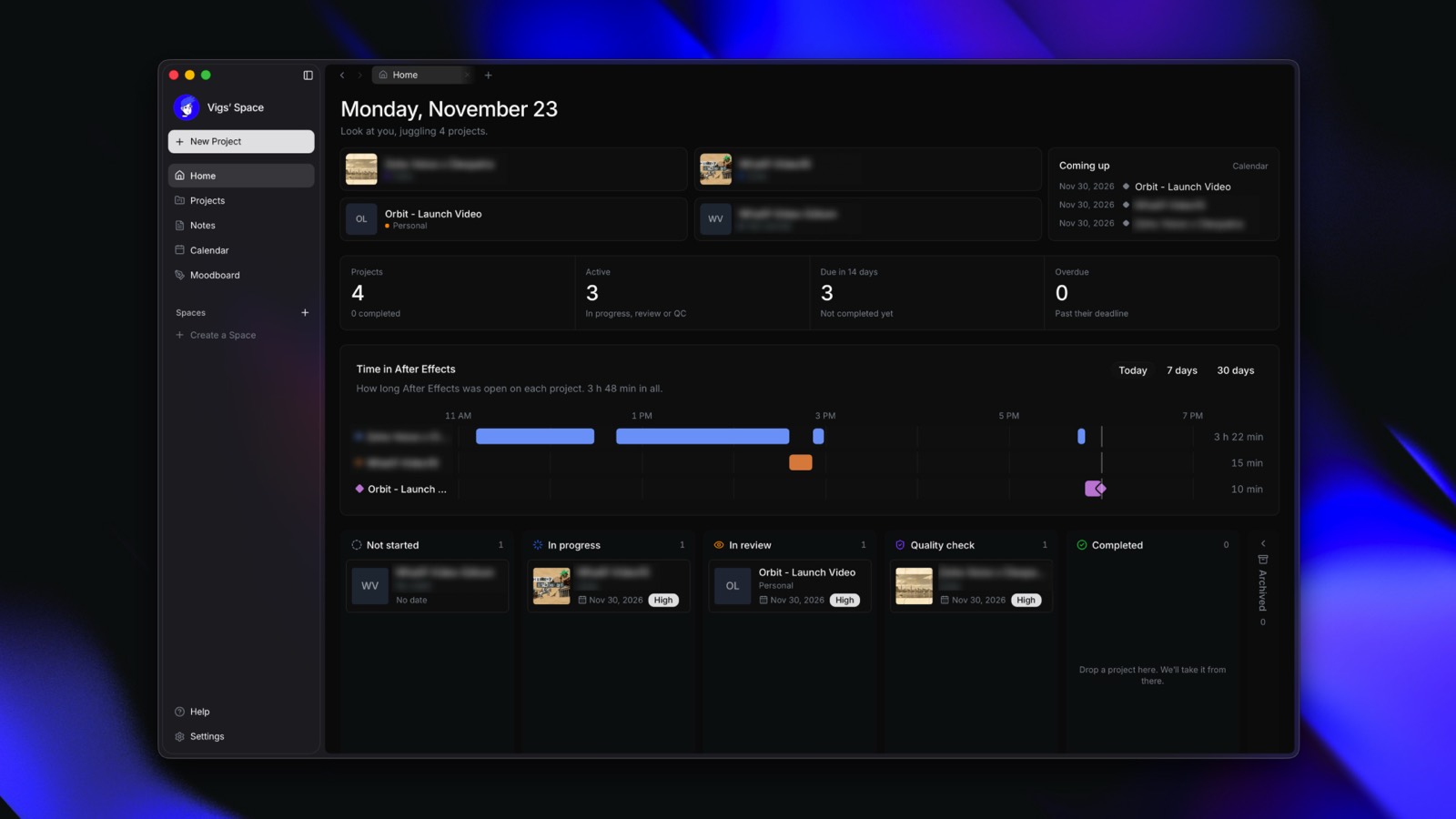
I started exploring the interface before I had a clear idea of what the app would become.
There were dark dashboards.
Green dashboards.
Purple dashboards.
Project cards, sidebars, navigation experiments, and several screens that probably didn't need to exist.
At one point, I was designing something that looked more like a full creative operating system than a tool for managing After Effects projects.
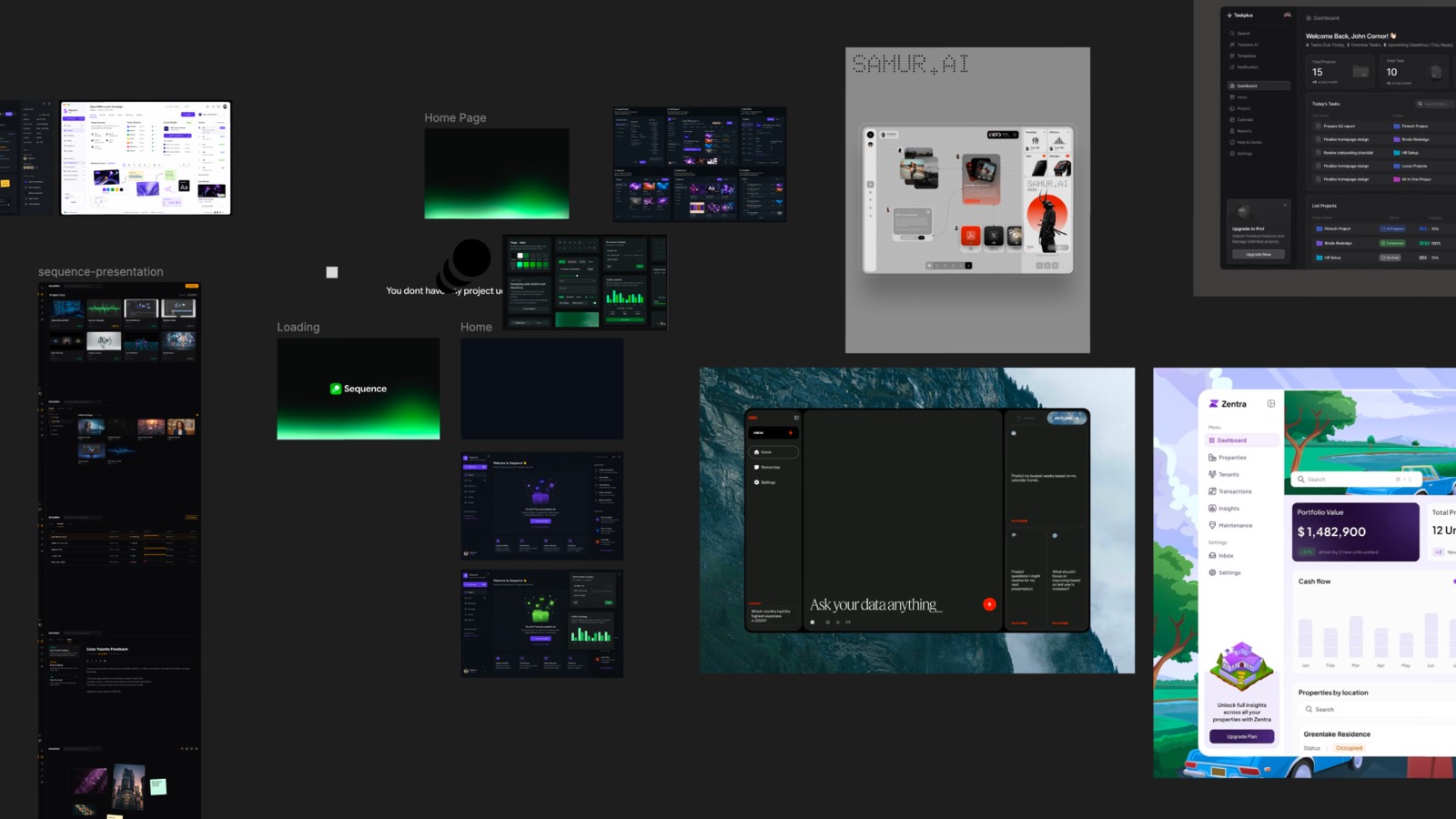
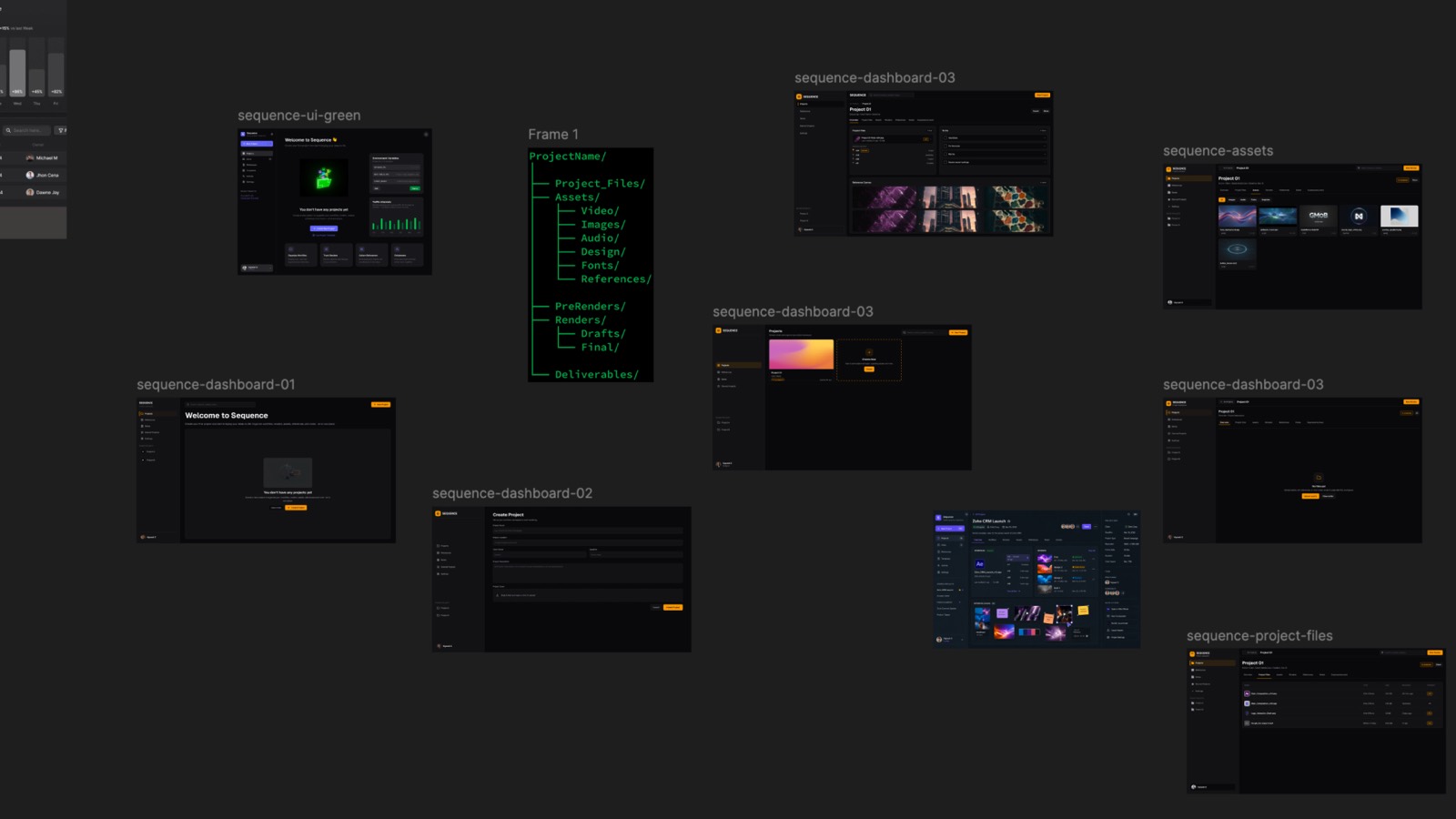
Murre was called Sequenxe during development.
The interesting part was how much the product changed as I started building it.
Some features that looked great in Figma weren't particularly useful in a real project.
Other things I hadn't considered became essential once I started using the app myself.
I gradually moved away from designing a dashboard that looked impressive and focused on making a workspace I could actually use every day.
And that meant paying attention to some surprisingly small details.
The little things#
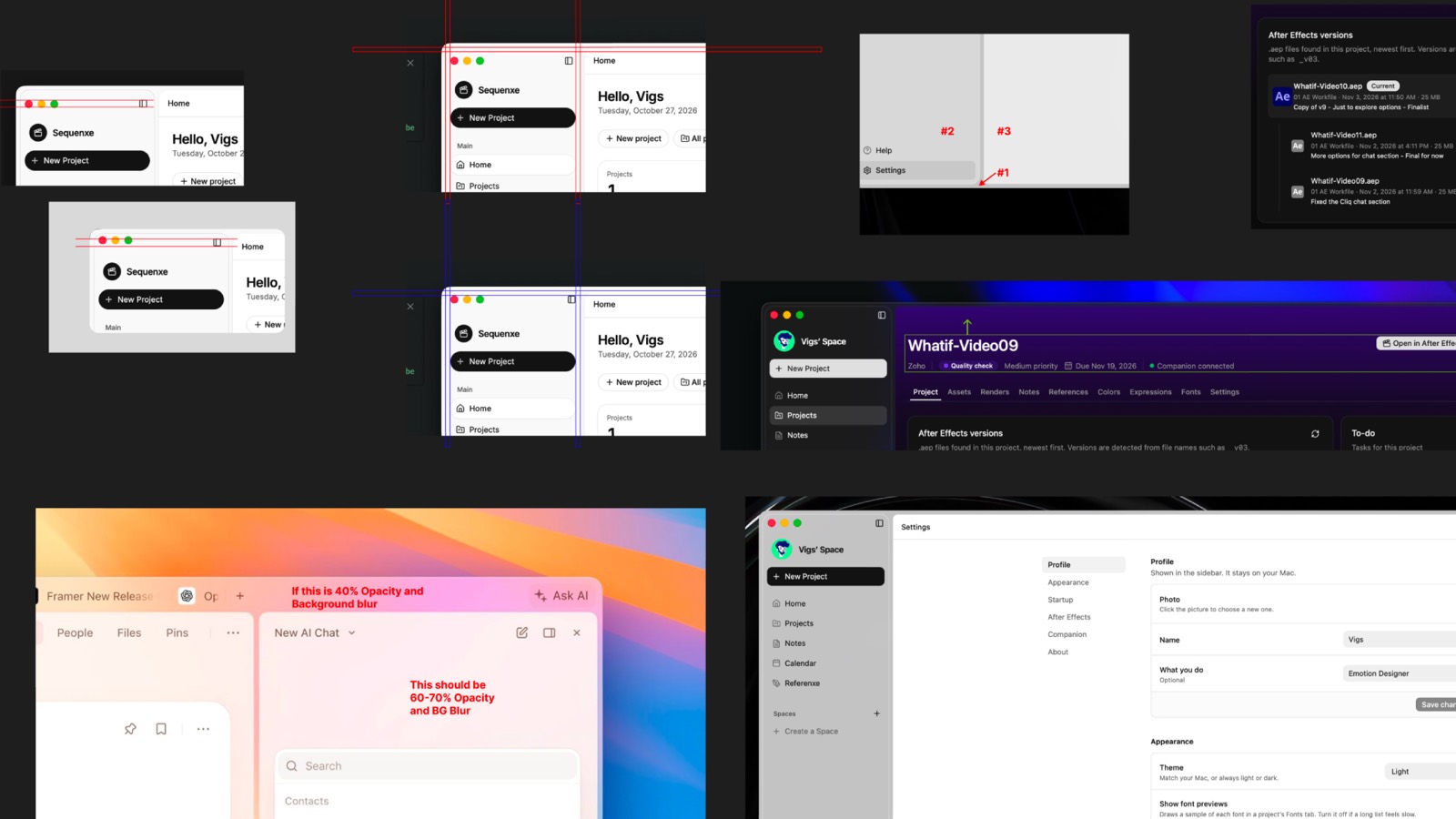
I spent an unreasonable amount of time thinking about window corners, sidebar spacing, title-bar alignment, and how much of the desktop should show through the app.
None of these things helps you find a missing font.
But when you're building a desktop app that sits beside professional creative software all day, those details matter.
The interface should feel comfortable enough to forget it's there.
I don't think I've got every detail right yet.
But it's been fun figuring them out.
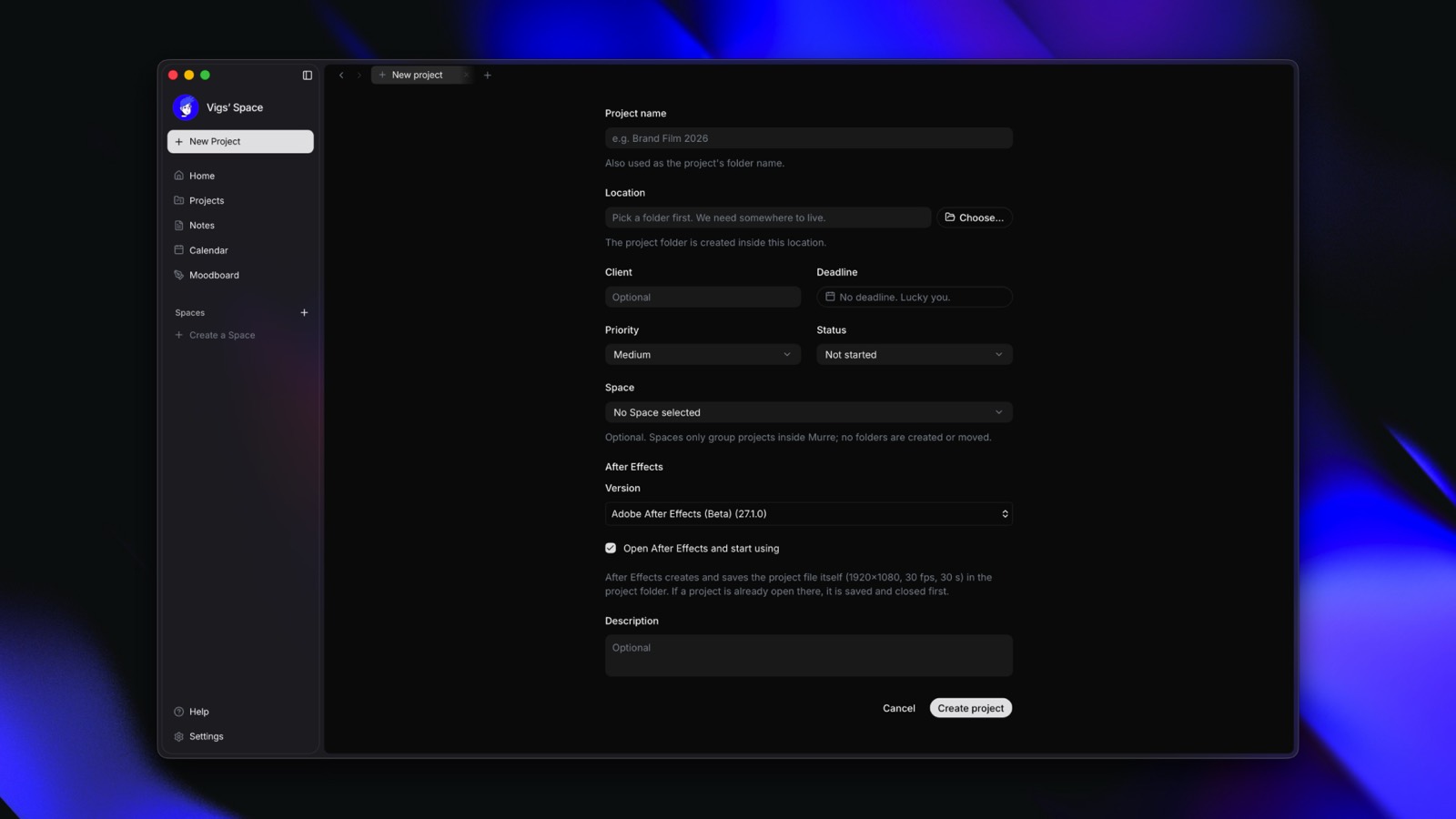
The first thing I built was project creation.
You give Murre a name, location, and a few details.
It creates a consistent folder structure for After Effects workfiles, assets, scripts, pre-renders, renders, and deliverables.
It can also create the first After Effects project.
Nothing particularly exciting.
Until you realize you don't have to set up those folders again.
Of course, not every project starts from scratch.
Most of my existing projects are already a mess.
So Murre can take an existing folder as it is, without forcing everything into a new structure.
That became an important principle while building it:
The tool should adapt to the work. Not the other way around.
Murre also keeps its project-specific information inside a hidden .murre folder.
Notes, to-dos, and references stay with the project.
Move the project folder to another drive, and that context moves with it.
No account.
No cloud.
Just your files.
Understanding After Effects files#
Originally, I planned to rely on an After Effects extension to tell Murre what was happening inside a project.
That works.
But it means opening After Effects just to find out something basic about a file.
Like which version of After Effects saved it.
Or what footage it uses.
Or which fonts might be missing.
So I started exploring whether Murre could read an .aep file directly.
There was one small problem.
Adobe doesn't publicly document the .aep file format.
Which made this a considerably more interesting problem than I'd expected.
I worked through real project files, studied their structure, compared the extracted information with scans from After Effects, and gradually built a reader.
Today, Murre can inspect an .aep without launching After Effects.
It can identify the version that saved it, its save history, compositions, footage paths, effects, and fonts.
And because it only reads the file, the original project stays untouched.
.murre notes, to-dos and boards as JSON.aep on its own. Everything runs on your computer: no account, no cloud.This changed the direction of Murre quite a bit.
It was no longer just an interface around some folders.
It could actually understand parts of the work inside them.
One of my biggest annoyances with After Effects projects is figuring out which file came from which.
Especially when I've duplicated a project five times to try different directions.
Murre lists the .aep versions in a project and shows their history.
It can tell which After Effects version saved each file, which earlier version it came from, and what changed.
Compositions added or removed.
Footage introduced.
Effects and fonts used.
You can also leave a short note on each version.
And if a project was saved in a newer After Effects version than the one installed, Murre warns you before you open it.
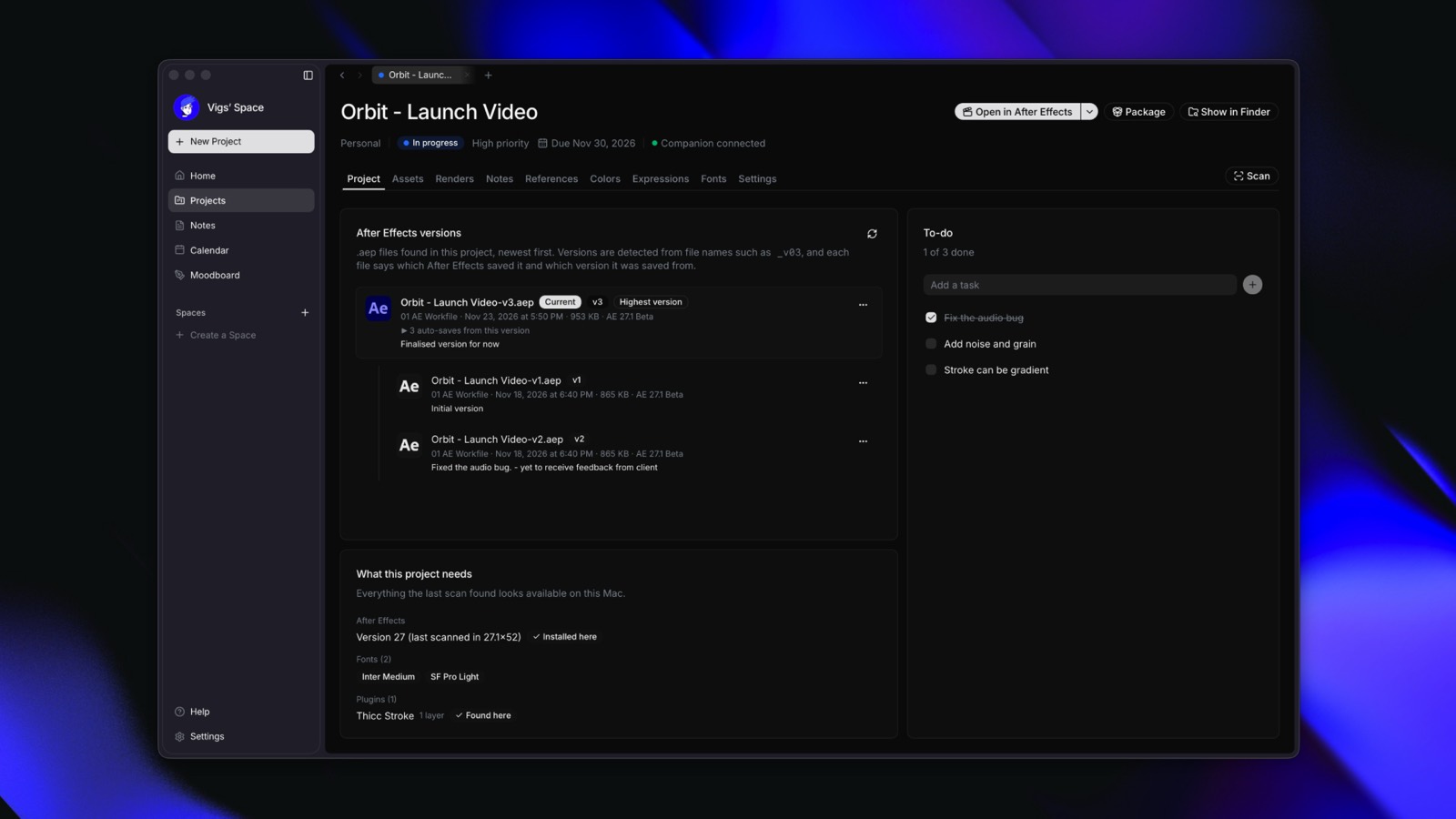
One decision I made was to let the designer explicitly mark the current version.
Murre doesn't assume the newest file is automatically the right one.
Because sometimes the most recently saved file is just an experiment that didn't work.
And I'd rather make one extra click than have the app confidently open the wrong project.
After Effects projects are rarely self-contained.
They depend on footage, fonts, plugins, and files scattered across your computer.
Everything works perfectly until you move the project to another machine.
Then you get missing footage warnings.
Missing fonts.
Missing effects.
And a message from someone asking why the project doesn't open properly.
Murre brings these dependencies into the project workspace.
You can see the fonts and plugins a project needs, which footage it uses, and which files are sitting outside its folder.
If footage is outside the project, Murre can copy it into the right place and relink it through After Effects.
The original stays where it was.
I wanted this part to be particularly careful.
A tool that organizes creative work shouldn't casually move, rename, or delete someone's files.
So Murre treats the originals as something to protect, not something to clean up without asking.
The desktop app handles the workspace.
But some things are easier to understand while the project is actually open.
That's why I built Murre Companion.
A small panel inside After Effects that communicates with the desktop app.
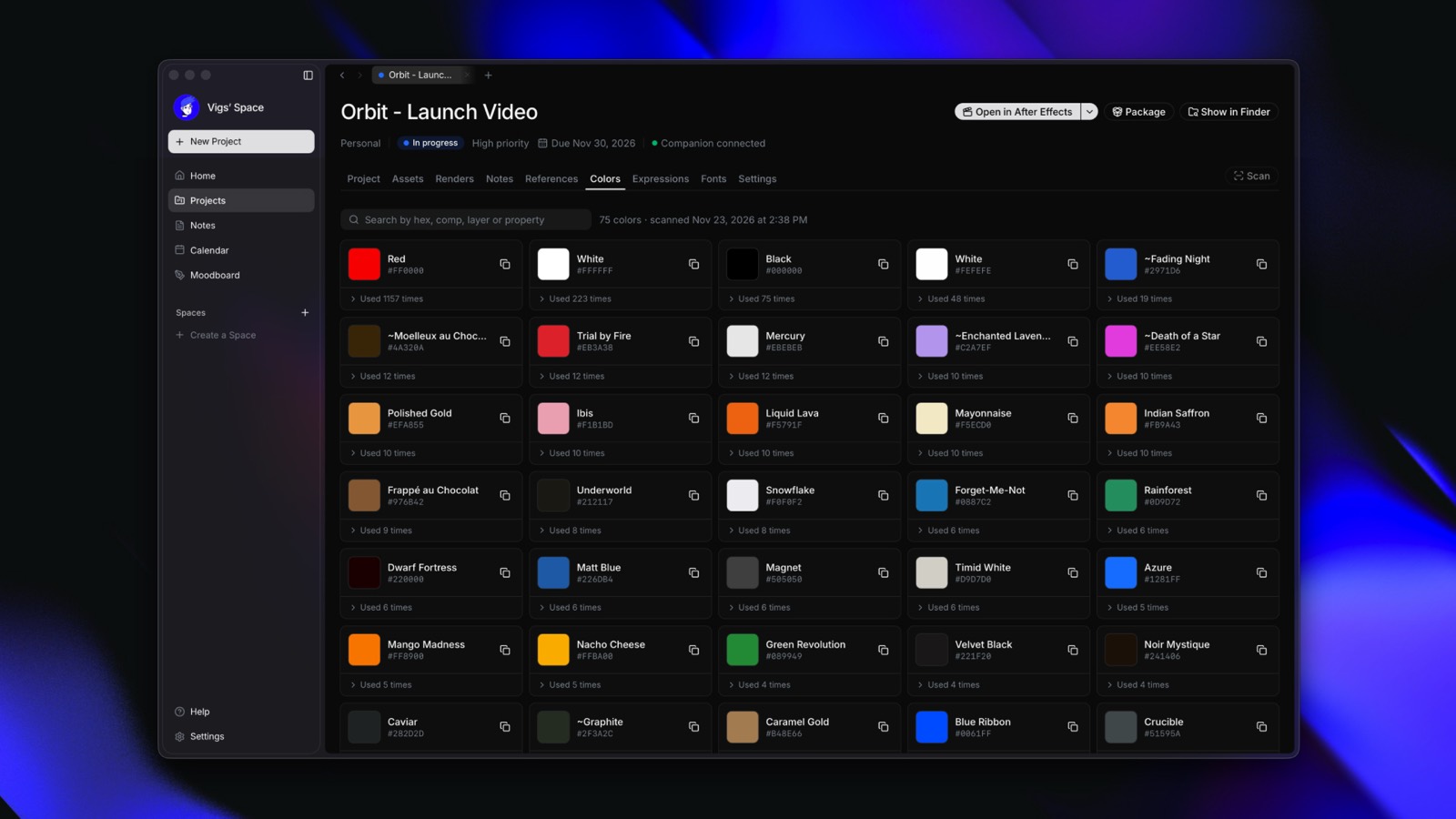
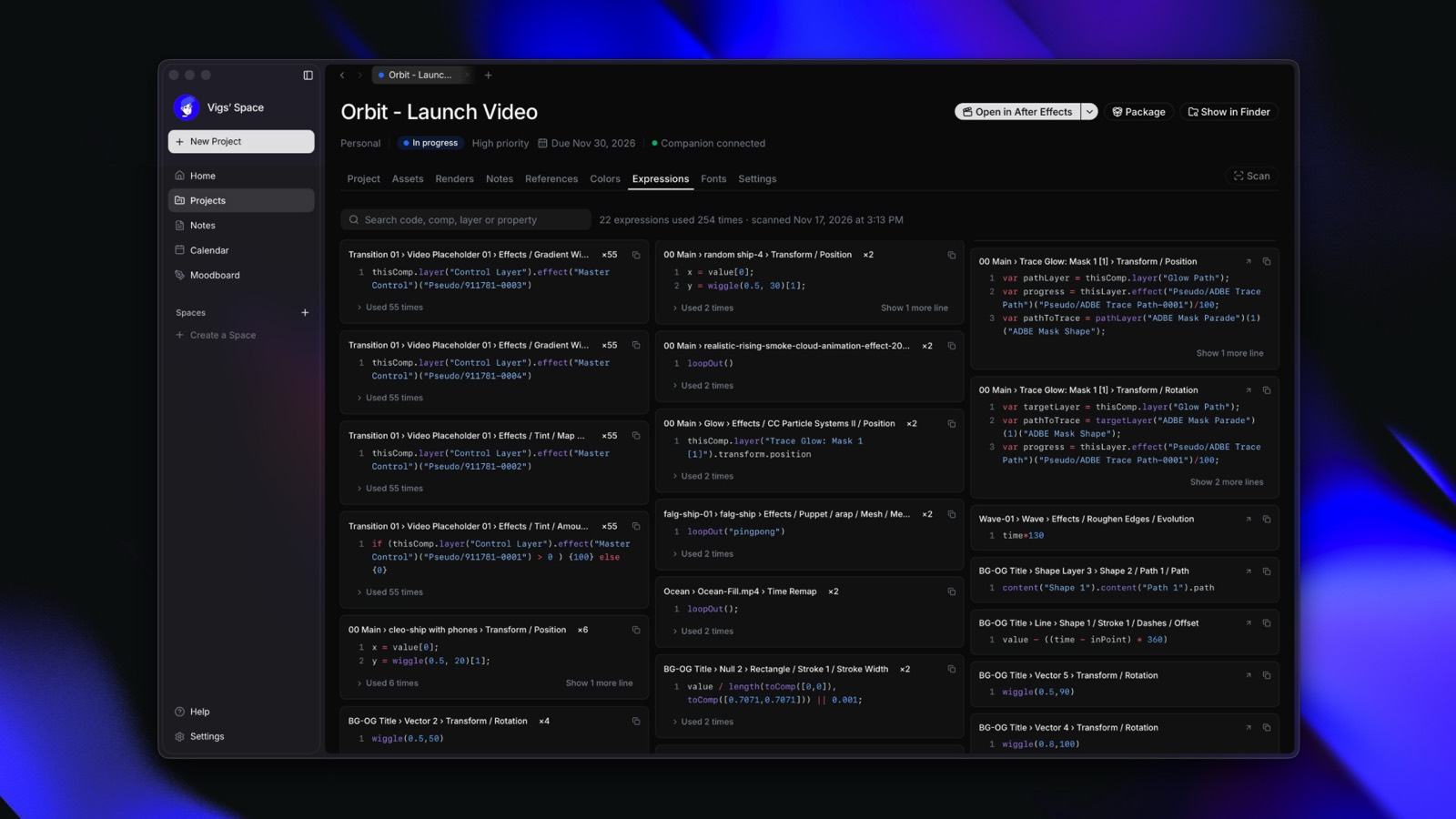
It can scan the open project for compositions, fonts, colors, expressions, and footage.
It can help organize the Project panel, copy and relink external footage, add compositions to the render queue, and package the project.
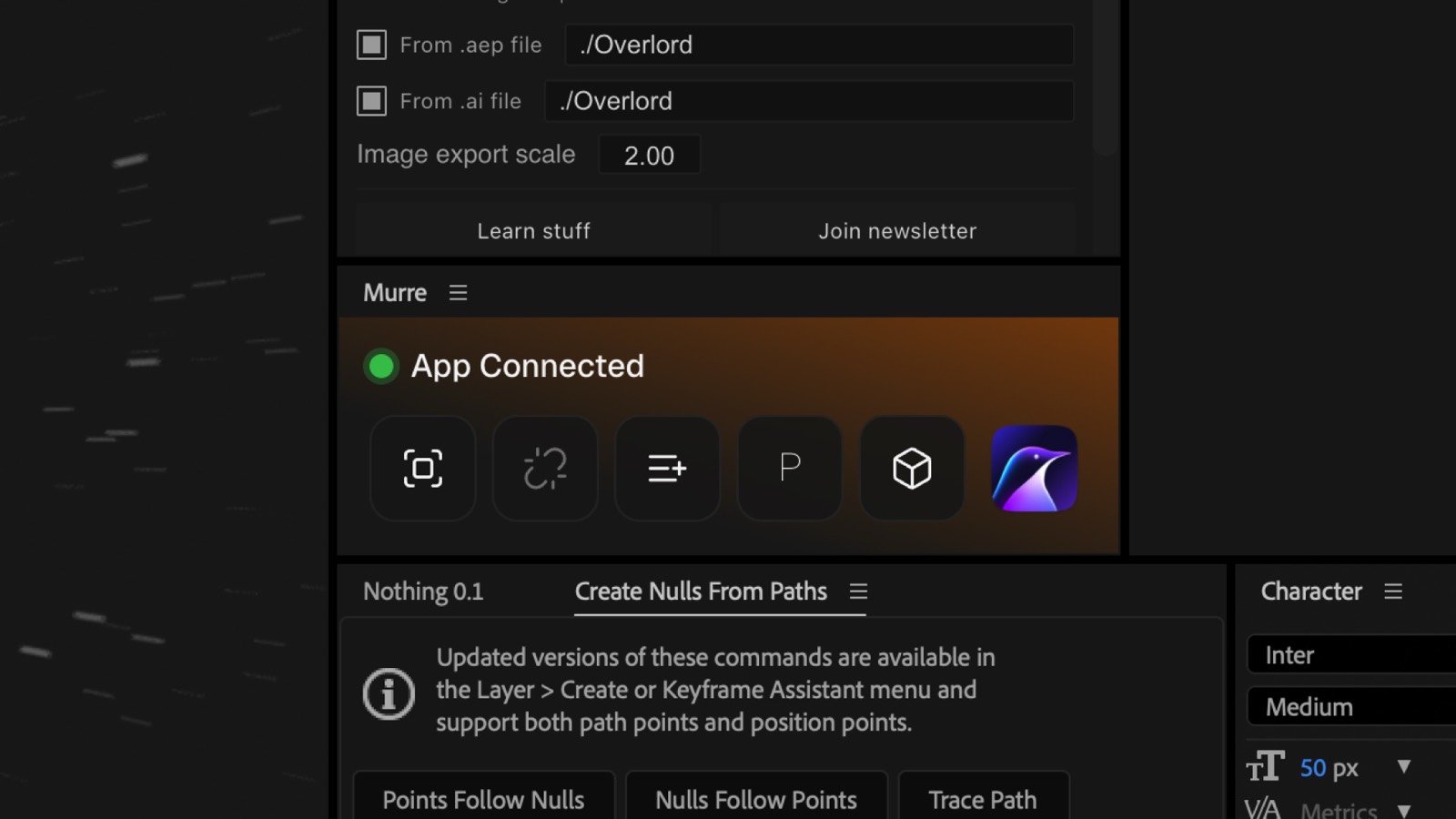
The interesting part is that the two tools work together without needing a cloud service.
They communicate locally on the same computer.
And the desktop app is still useful without the Companion.
The panel adds more information when it's available, rather than being a requirement for everything else.
Colors, expressions, and fonts#
These turned into some of my favorite small features.
Murre collects the colors and expressions used inside a project.
You can search them, copy them, and jump directly to where they're used in After Effects.
Fonts get their own view, with previews and information about what's installed.
It's the kind of information I never thought to organize until I needed it for a revision.
Not everything in a motion project is an .aep file.
There are reference images collected at 2 AM.
Notes that only make sense when you're working on the project.
Tasks you keep telling yourself you'll remember.
And renders that are almost identical, except one has a title moved six pixels to the left.
I wanted those things to live next to the project too.
Moodboard#
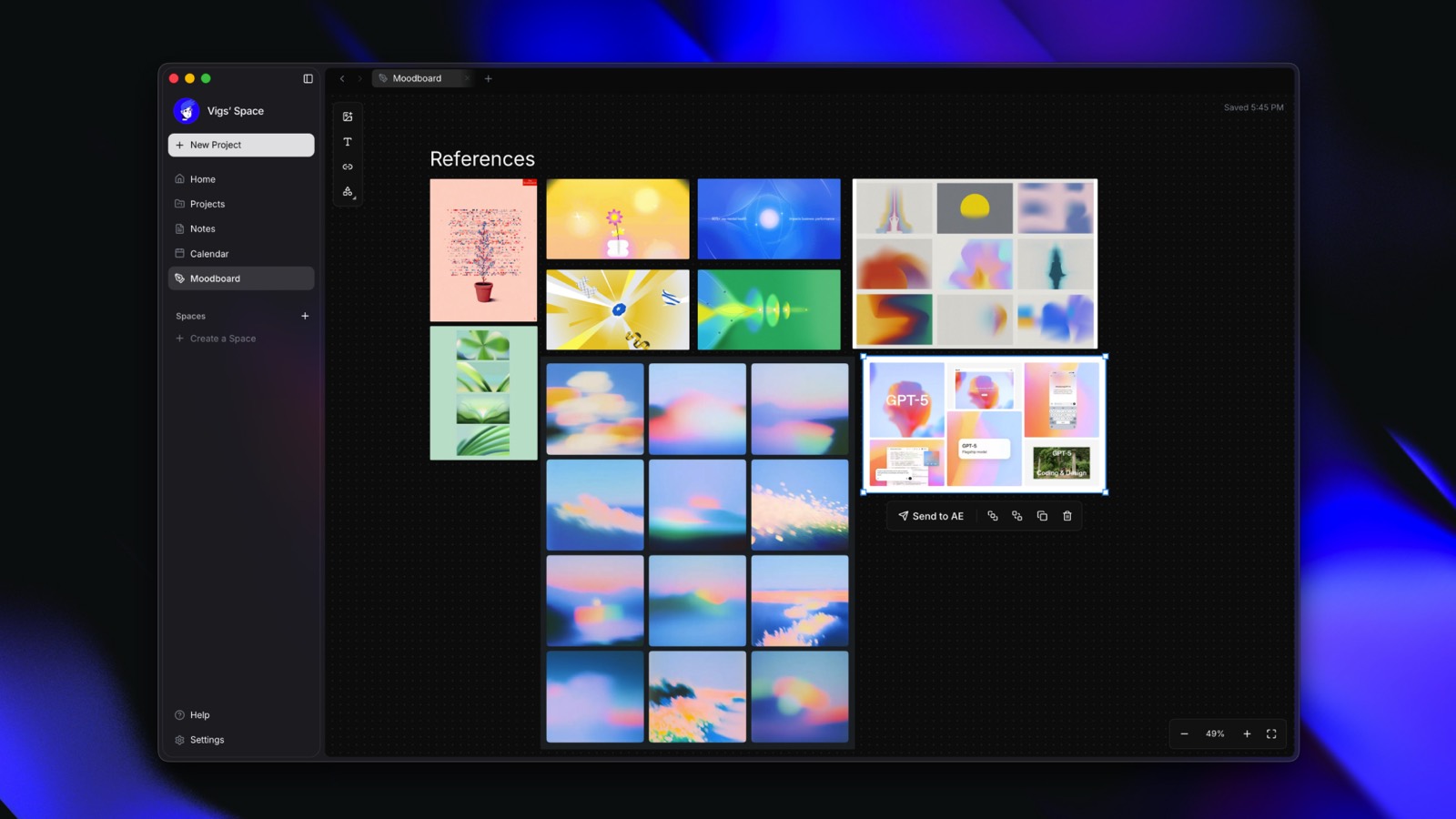
Every project has an infinite canvas for images, videos, PDFs, links, text, and shapes.
It's a place to collect visual references without having them scattered across browser tabs or random folders.
You can even send an image or SVG from the canvas into After Effects.
Notes and to-dos#
Rich-text notes and to-do lists stay with the project.
There's also a separate to-do panel inside After Effects, so I don't have to switch applications just to check something off.
Renders#
Murre keeps pre-renders, renders, and deliverables together, with previews and playback.
You can mark the approved render.
Or render a Main Comp directly from the desktop app using Adobe's aerender, even when After Effects isn't open.
One thing I wanted to get right was packaging.
We've all had that moment where a project works perfectly on our own machine and breaks as soon as someone else opens it.
Sometimes it's a missing font.
Sometimes it's an image hiding in Downloads.
Sometimes it's a plugin you forgot you'd used.
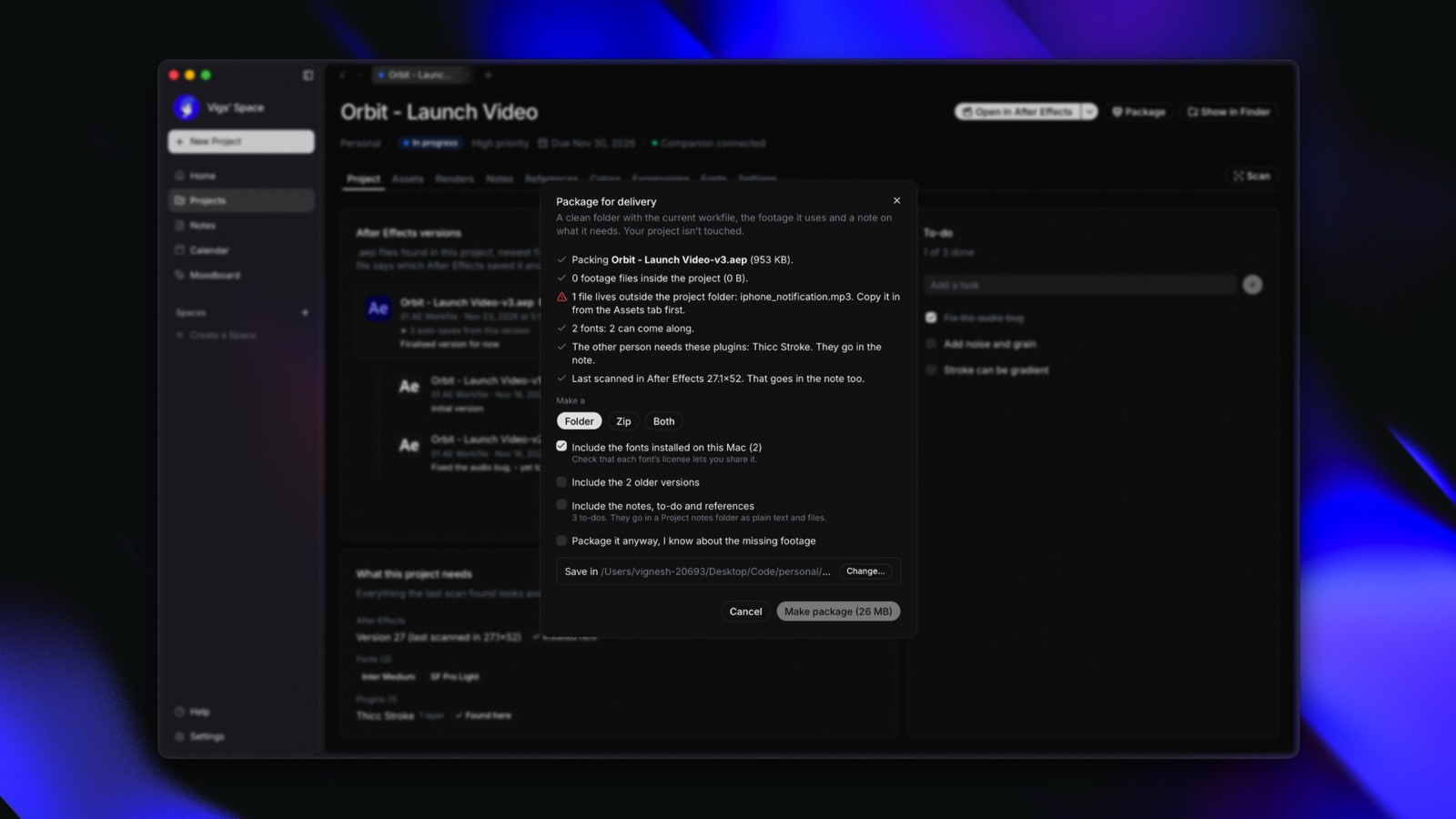
Murre can collect the current workfile, the footage inside the project, the fonts installed on your machine, and a readme describing what the project needs.
Footage sitting outside the project gets flagged instead, because it couldn't be packaged and still link.
Then it packages everything into a folder or zip.
The original project remains unchanged.
It's not particularly glamorous.
But neither is spending half an hour tracking down a missing PNG after you've already delivered something.
I wanted Murre to work with the files already on my computer.
Motion projects can contain hundreds of gigabytes of footage, renders, and workfiles.
Uploading all that to a server just to organize it never made sense for what I was trying to build.
So Murre is entirely local-first.
The desktop application is built with Tauri, Rust, React, and TypeScript.
SQLite maintains an index of projects, while each project's own .murre folder stores its portable data as JSON.
The After Effects Companion is a CEP extension using React and ExtendScript.
The app and Companion communicate through a local WebSocket connection.
FFmpeg handles media previews and metadata, while Adobe's aerender handles rendering.
There's no login, no sync service, and no AI model behind it.
It works offline.
The only internet access it normally needs is for checking updates and fetching link previews.
I like the idea that a tool for managing local creative work can remain local.
Building a tool for yourself is one thing.
Making it work on someone else's computer is another.
On my Mac, I know exactly where After Effects is installed.
I know where my files live.
I know which fonts and plugins I have.
Other people's computers don't have the courtesy of being configured exactly like mine.
So I started working through installation, version detection, file paths, Companion communication, updates, and packaging.
Murre now has macOS and Windows builds.
The Mac version is what I use daily. The Windows version is newer and still needs more real-world testing.
Neither build is currently signed by the platform vendor, so there are first-launch security warnings.
Some of the After Effects functionality has also been tested more extensively than other parts.
I'm still working through those cases.
When I started this project, I thought I was designing a better folder organizer.
Then I thought I was designing a project management app.
Somewhere along the way, I ended up learning about native desktop applications, local databases, Adobe extensions, media processing, and the internals of After Effects project files.
Not exactly what I'd planned for a weekend project.
But that's been the most interesting part.
I also learned that designing a tool and actually using it are two very different things.
A screen can look perfect in Figma and still be annoying when you're trying to finish a render at midnight.
And a tiny feature you barely considered can end up saving you from a genuinely frustrating problem.
The more I used Murre, the less interested I became in adding features just because they sounded useful.
I wanted the ones that solved problems I was actually running into.
Murre is free and open source.
I built it for my own projects, mostly during weekends, and now a few friends and colleagues are helping me test it.
It's still early.
There are bugs, unfinished ideas, and plenty of things I want to improve.
It isn't trying to replace After Effects.
Or become another place where people have to manage their work.
It's just a small tool that helps me remember where I left off.
And maybe, eventually, retire a few more files named final_final_v2.aep.